Search
Find any item, case, location, plan or person from anywhere.
Showing steps for
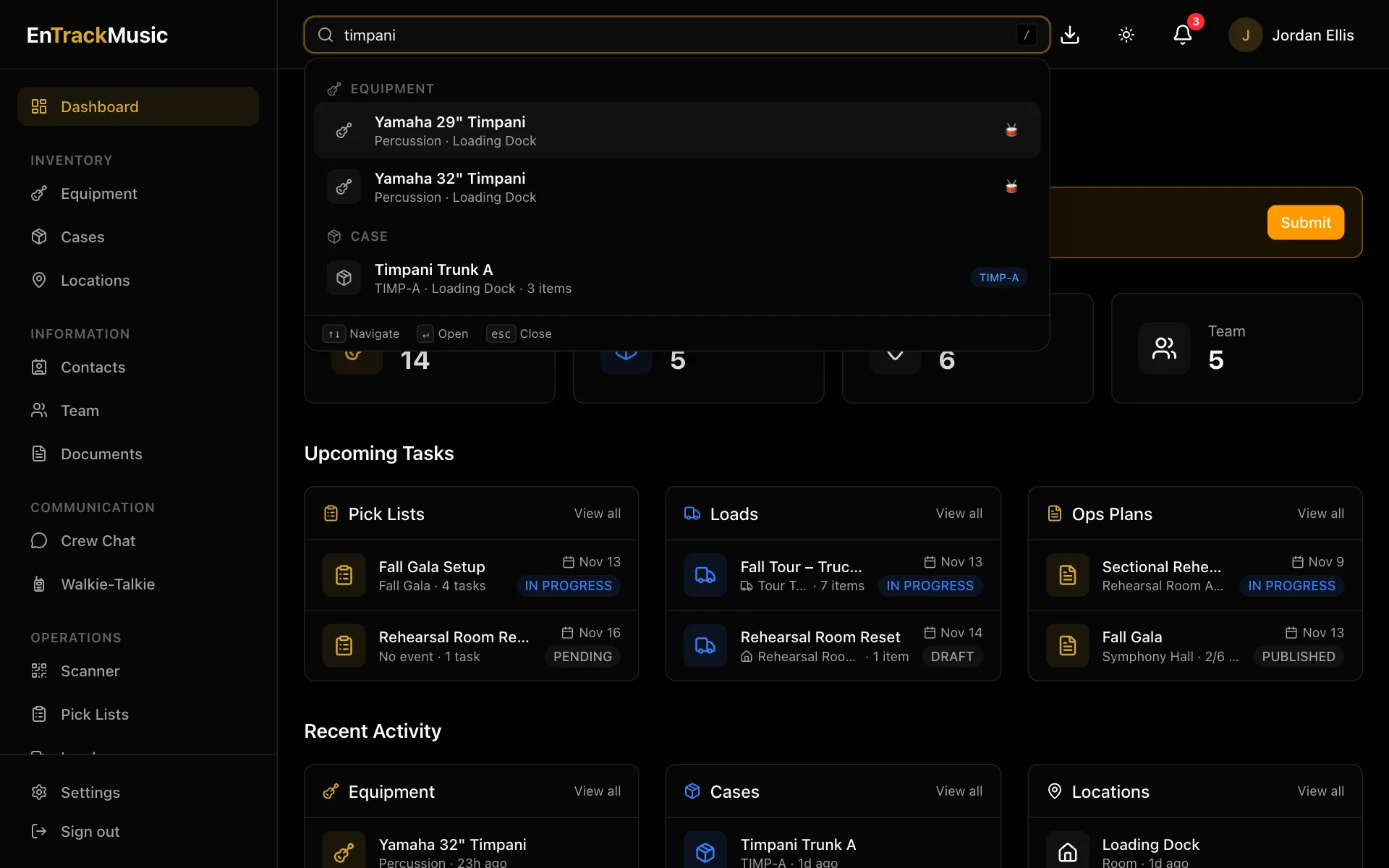
Search looks across everything in your organization at once: equipment, cases, locations, contacts, pick lists, loads, documents, ops plans and your team.
Search from anywhere
Use the search box at the top of every page, or press / to jump to it. Results appear as you type, grouped by kind. Use the arrow keys and Enter to open one, or Esc to close.
On a phone, tap the search icon at the top of the screen.
What it matches
| Kind | Searches |
|---|---|
| Equipment | Name and serial number |
| Cases | Name and short code (like TIMP-A) |
| Locations | Name |
| Contacts | Name and email |
| Pick lists | Name and event |
| Loads | Name |
| Documents | Title |
| Ops plans | Title and ensemble |
| Team | Name and email |
Each result shows where it is or how far along it is, so you often won't need to open it. Searching for a case shows its location and how many items are inside.
Still stuck? Contact us and we'll help.