Changelog and history
See who created, moved, scanned or changed what, and when.
The Changelog is your organization's activity record: every item created, edited, moved, scanned or deleted, with who did it and when. Use it to answer "where did that go?" and "who changed this?"
The Changelog needs the Pro plan or higher. Every item's own History works on any plan.
Browse activity
Go to Changelog in the menu. The newest activity is at the top, 50 events at a time. Choose Load More for older ones.
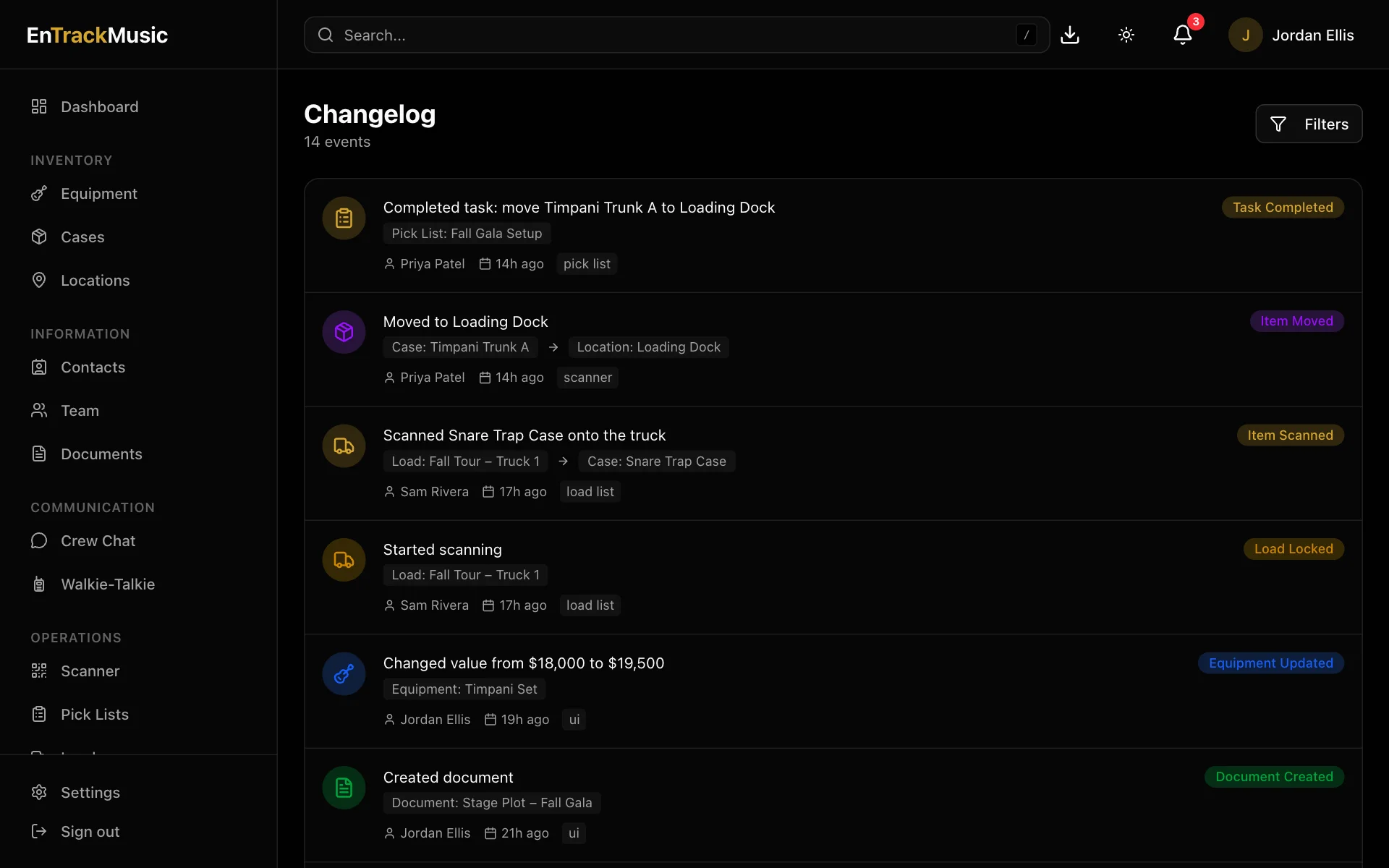
Each event shows:
- what happened, like Moved equipment "Cello – Desk 1" to Tour Truck 1,
- the item, and where it went or what it belongs to,
- who did it, and when,
- where it came from: the scanner, a load, a pick list or the app.
Filter it
Choose Filters to narrow things down by:
- Search: words in the event, the item's name or the person's name.
- Entity Type: equipment, cases, locations, contacts, documents, pick lists, loads and so on.
- Event Type: created, updated, deleted, moved, scanned, task completed and more.
- Team Member: one person's activity.
- From Date and To Date.
Choose Apply Filters, or Clear all to start again.
One item's history
Open any equipment, case, location, contact, document, pick list or load and scroll to History for just that item's activity. It shows the latest five, with Show more for the rest.
Still stuck? Contact us and we'll help.