Pick lists
Plan moves for an event and let your crew tick them off as they go.
A pick list is a set of moves for your crew to make before an event: this timpani into that trunk, that case to the stage. Each task names one item and where it's going. Crew tick tasks off as they go, and EnTrackMusic moves the gear as they do.
Pick lists need the Starter plan or higher.
Find your pick lists
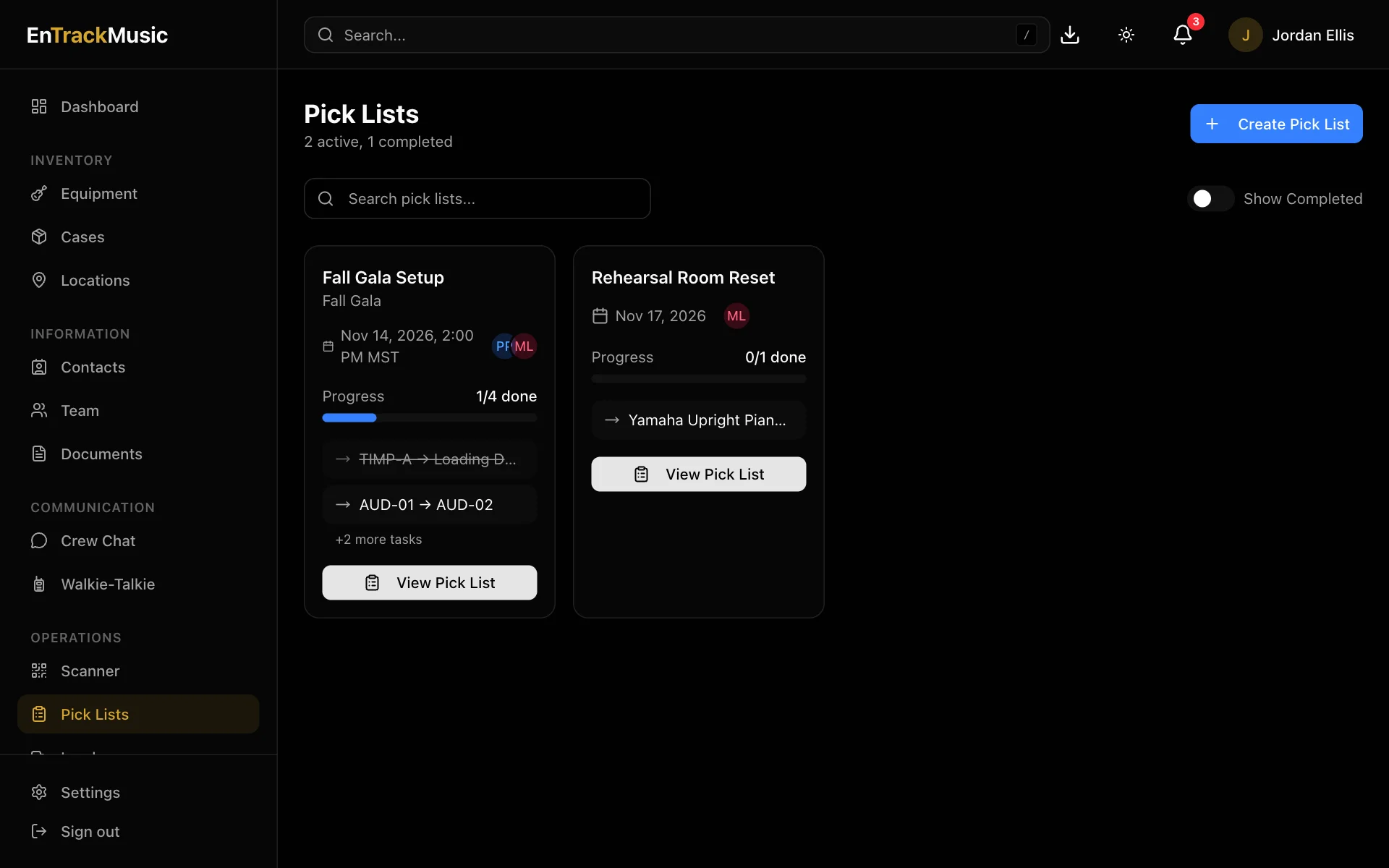
Go to Pick Lists. Each card shows the event, who's assigned, and how many tasks are done. Finished lists are hidden; turn on Show Completed to see them. Upcoming pick lists also show on your dashboard.
Admins only
Create a pick list
Name it and set the date
Choose Create Pick List. Give it a List Name and an Event Date. The event name, time and time zone are optional. Assigned crew get reminders as the event date gets close.
Add tasks
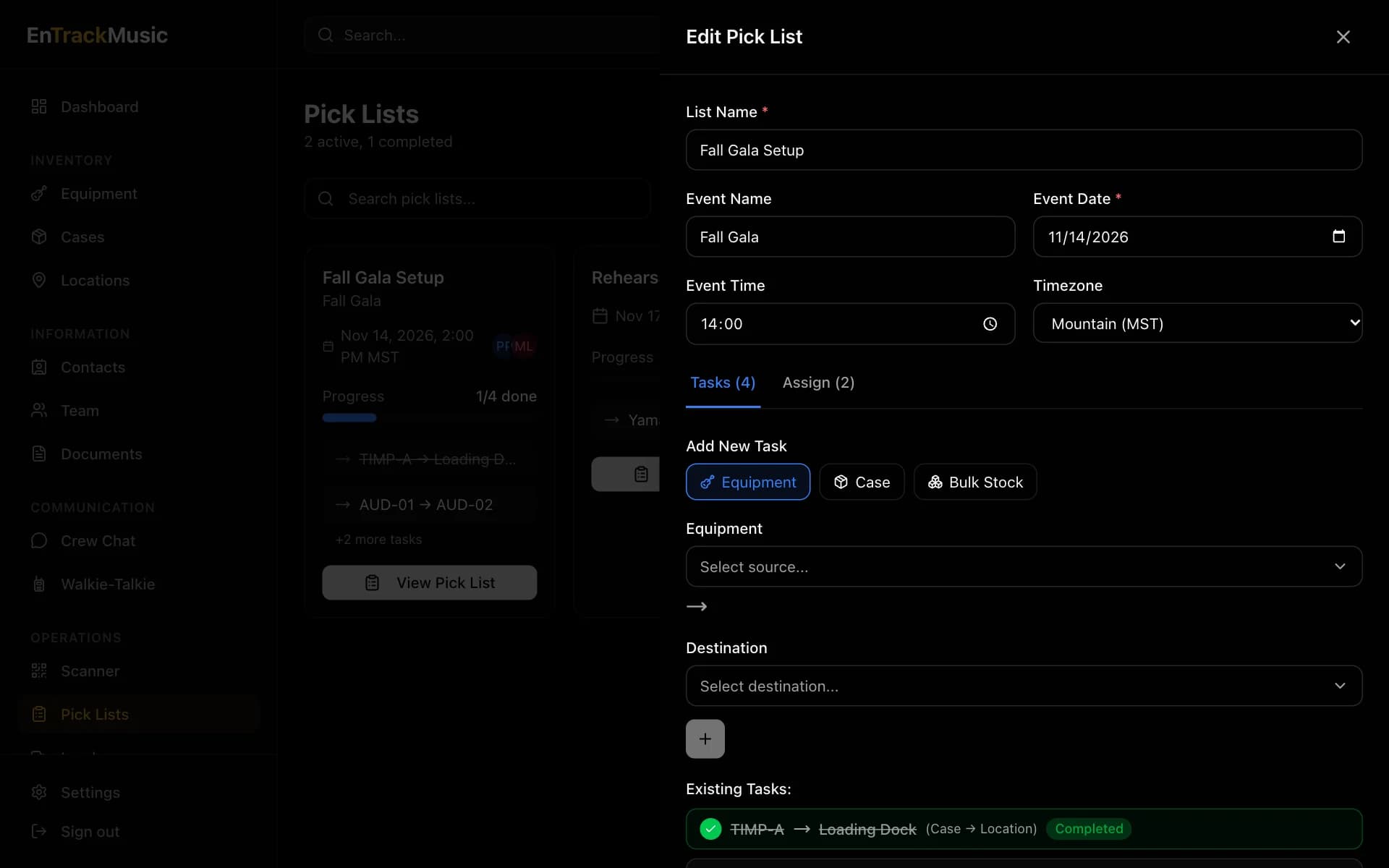
On the Tasks tab, choose what's moving (Equipment, Case or Bulk Stock), pick it, pick the Destination (a case or location), and choose +. For bulk stock, also enter the quantity.
Assign the crew
On the Assign tab, choose who'll work the list. They'll get a notification and an email.
Save it
Choose Create Pick List. A list needs at least one task.
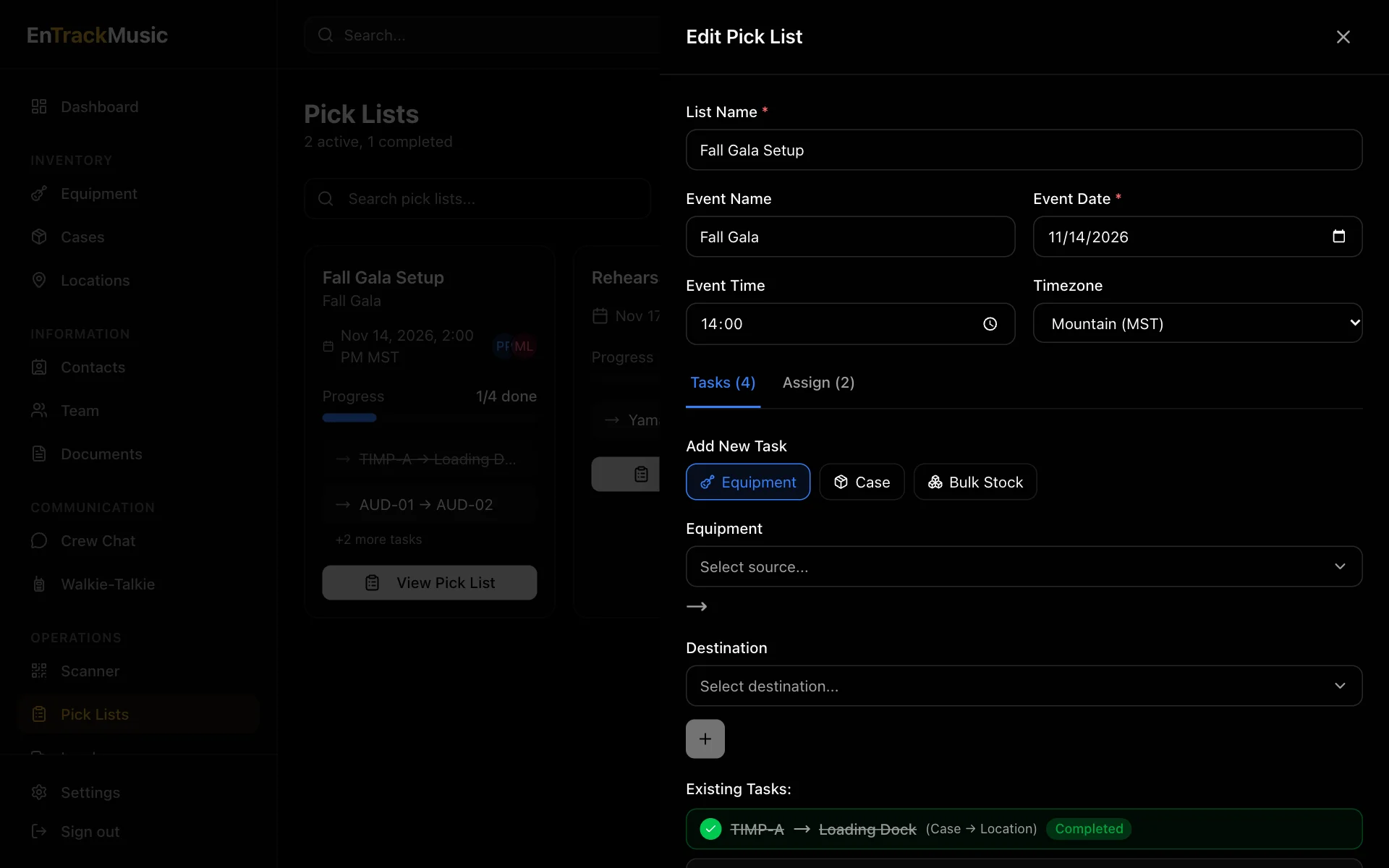
To change a list later, open it and choose ⋯ and then Edit Pick List. You can add tasks or remove ones that aren't done yet. Completed tasks stay.
Running an ops plan? Its Generate Pick List button builds a pick list of everything that needs to get to the venue. See Ops plans.
Work through a pick list
Open the list
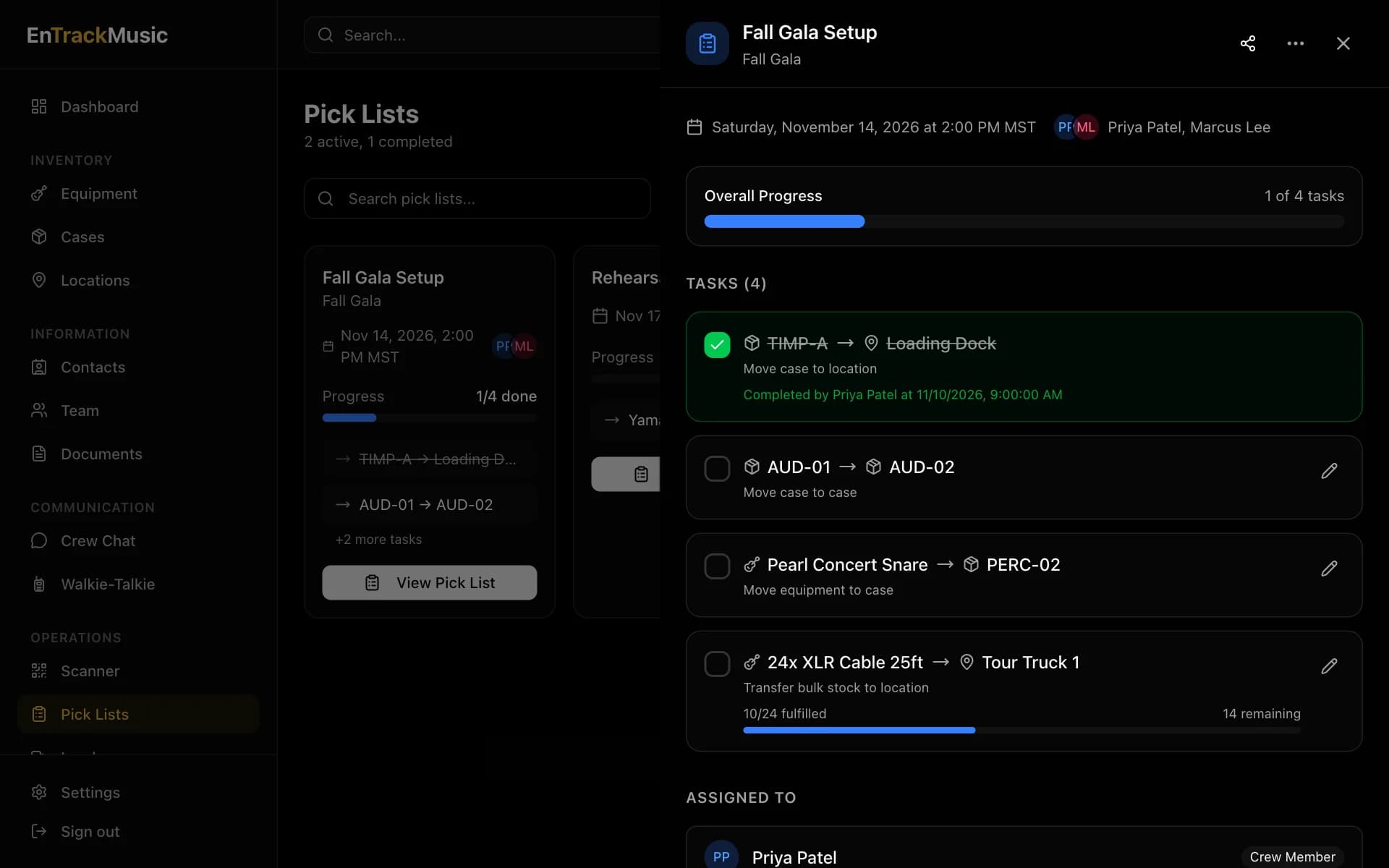
Choose a pick list to see its tasks. Each one shows what's moving and where it's going.
Move the item, then tick it off
Take the item where it's going and tick its checkbox. EnTrackMusic records the move straight away, along with your name and the time.
Bulk stock
For tasks like 12 music stands to Symphony Hall, ticking opens a transfer. Choose where the stands are coming from and how many you're moving, then choose Transfer. You can move them in batches; the task shows how many are left.
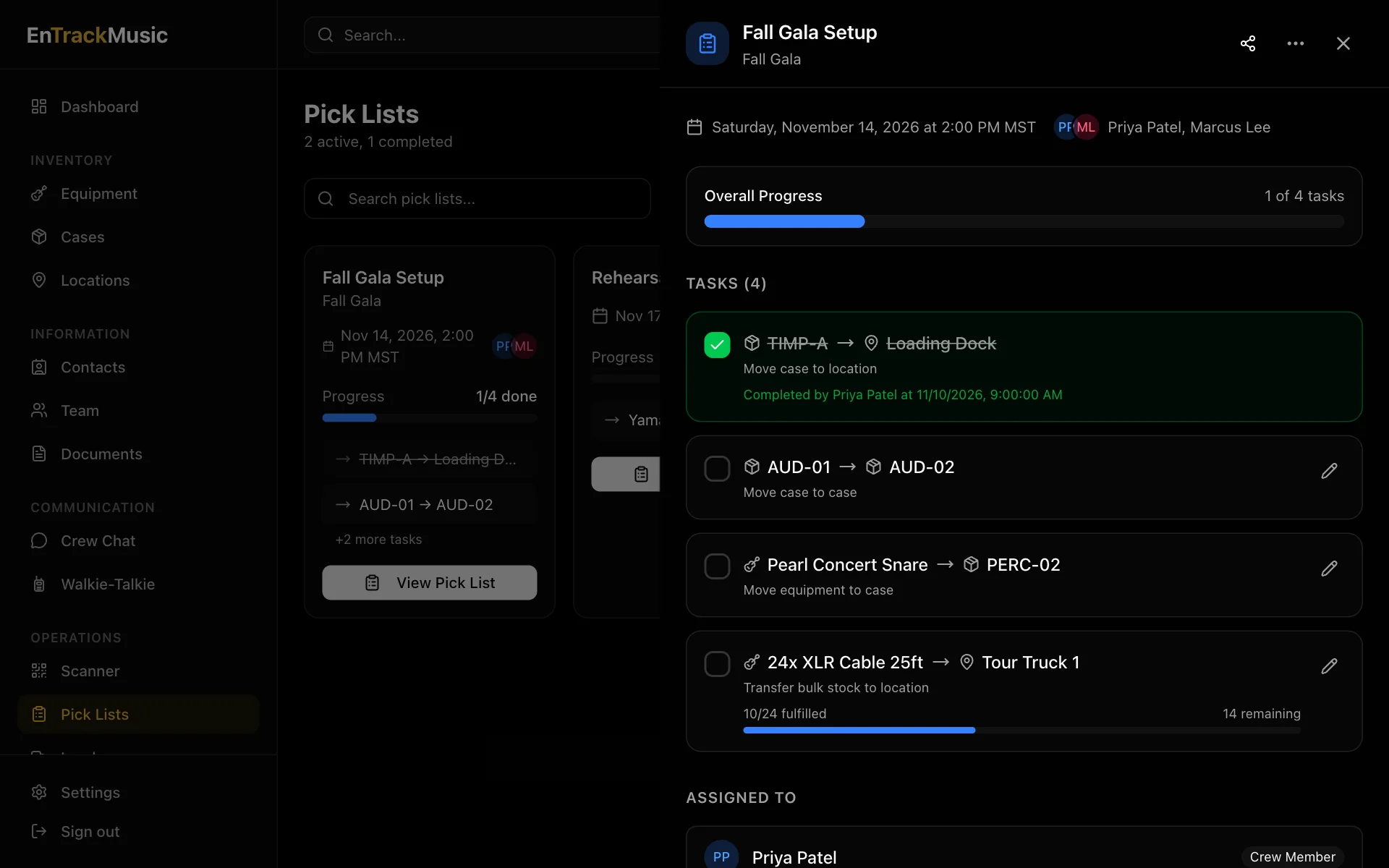
When every task is done, the list moves to Completed.
Still stuck? Contact us and we'll help.