Cases
Track trunks and road cases, what's packed inside, and their total weight.
Cases are anything that holds gear: trunks, flight cases, road cases, racks, bags. Cases can hold equipment and other cases, so a mic case inside an audio trunk inside a truck all stays straight.
Browse your cases
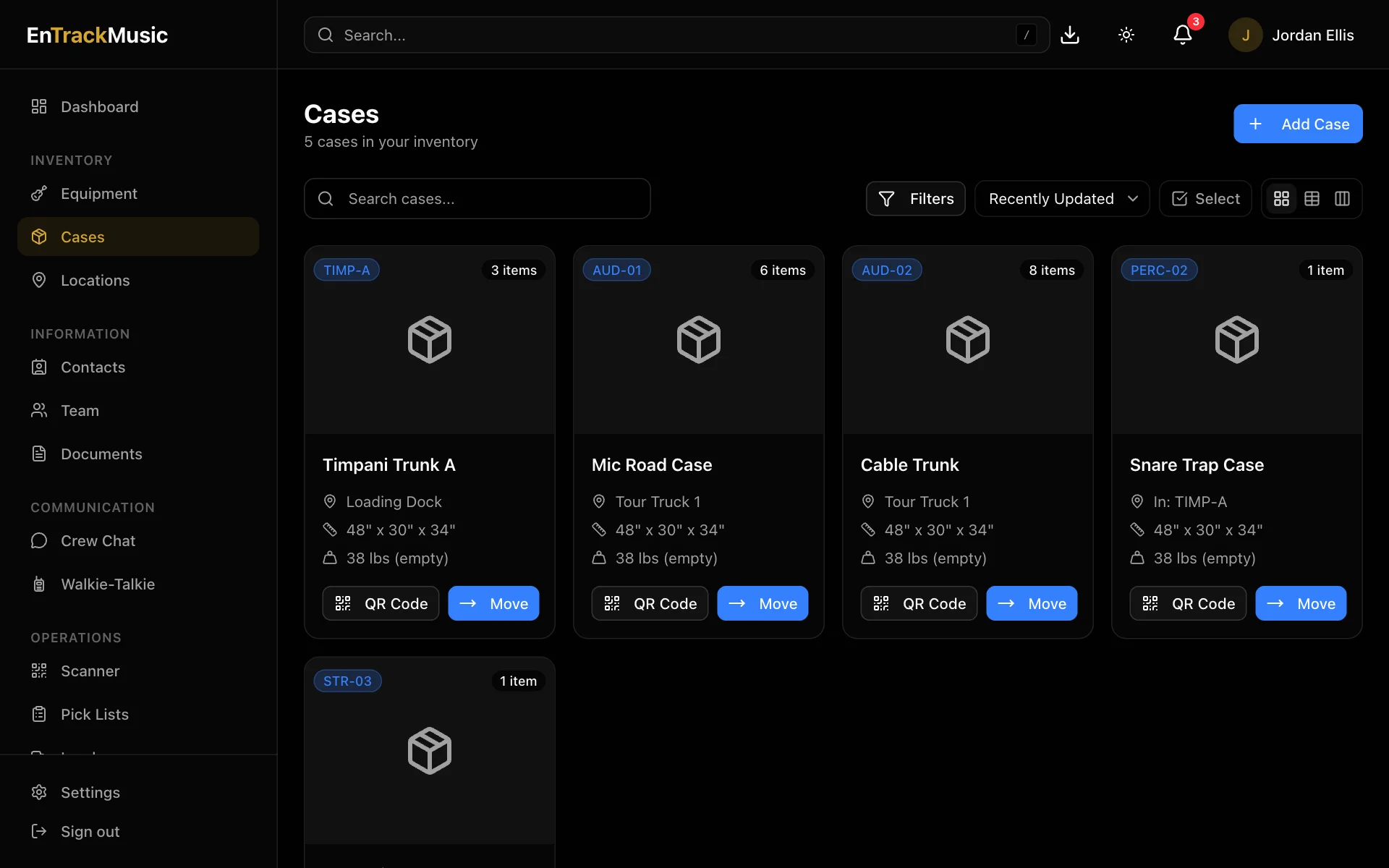
Go to Cases. Each case shows its short code (like TIMP-A), where it is, its size and its empty weight. Search by name or short code, and switch between card, table and board views. On a board, you can group cases by location or by the case they're in.
What's inside
Open a case to see:
- Where it is: its location, or the case it's packed in.
- Totals, counted through every case nested inside: total weight (cases plus contents), total value, and how many items and cases.
- Contents: every case and piece of equipment inside, with their weight and value.
- Documents, History and Comments.
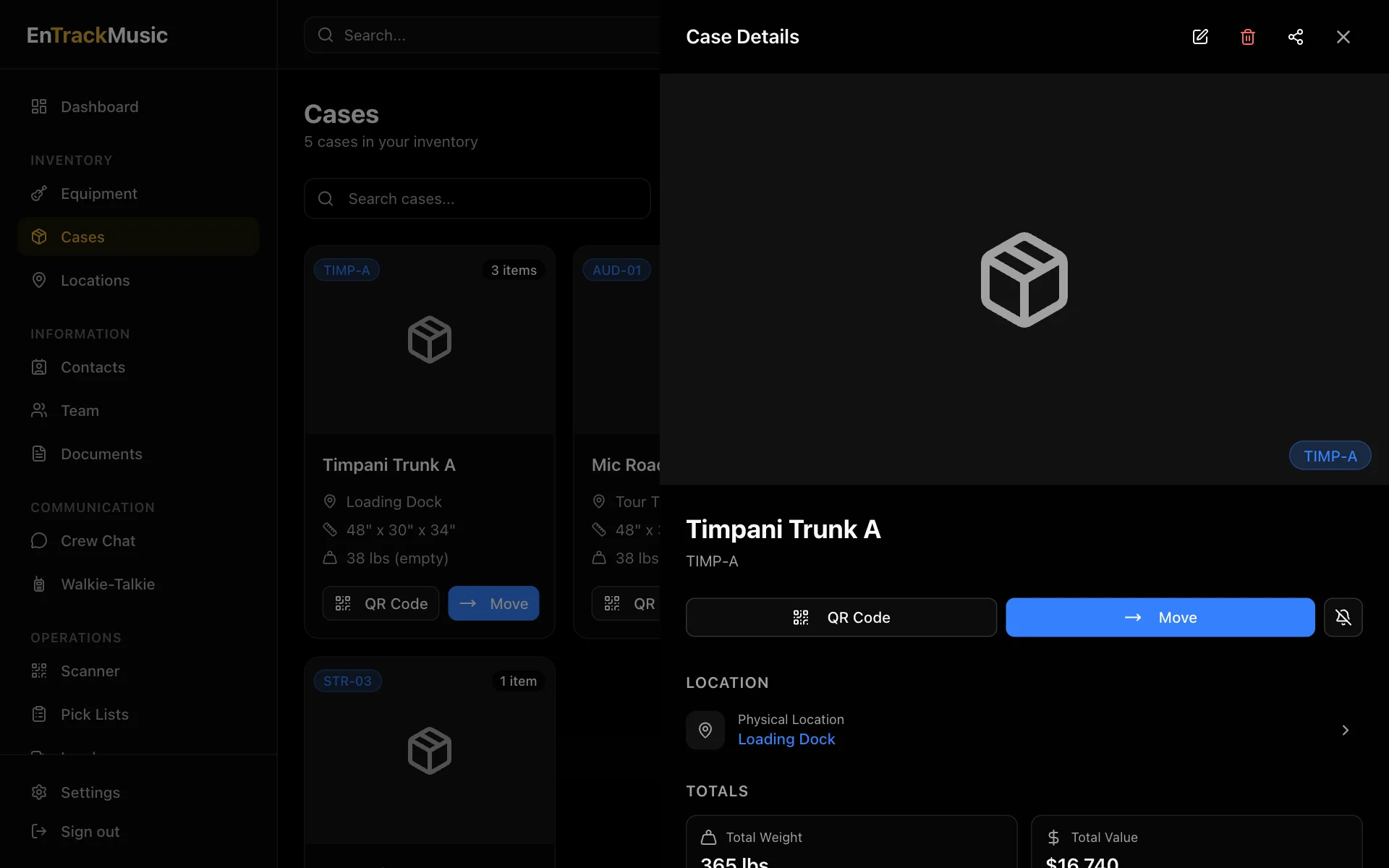
Use the totals for truck weights and insurance.
From a case you can show its QR Code, Move it into another case or to a location, or follow it.
Admins only
Add a case
Choose Add Case
Choose Add Case.
Fill it in
Give it a name and a Short Code to put on its label. Short codes must be unique. Add its length, width and height in inches, and its empty weight in pounds.
Say where it is
Choose In another case or At a location.
Cases count toward the same plan limit as equipment.
Still stuck? Contact us and we'll help.