Plans and billing
What each plan includes, and how to upgrade or manage your subscription.
Your plan decides which features you can use and how much you can track. Only admins can see and change billing.
What each plan includes
| Free | Starter | Pro | Enterprise | Unlimited | |
|---|---|---|---|---|---|
| Equipment and cases | 25 | 50 | 100 | 200 | Unlimited |
| Team members | 2 | 4 | 8 | 16 | Unlimited |
| Admins | 1 | 1 | 2 | 4 | 8 |
| Pick lists and loads | ✓ | ✓ | ✓ | ✓ | |
| Ops plans, stage plots, availability, contacts, documents and the changelog | ✓ | ✓ | ✓ | ||
| Crew chat and the walkie-talkie | ✓ | ✓ |
Equipment, cases, locations, QR labels and the scanner work on every plan. Locations aren't limited. See pricing for prices.
If you open something your plan doesn't include, you'll see what plan it needs and a View Plans button.
See your plan and usage
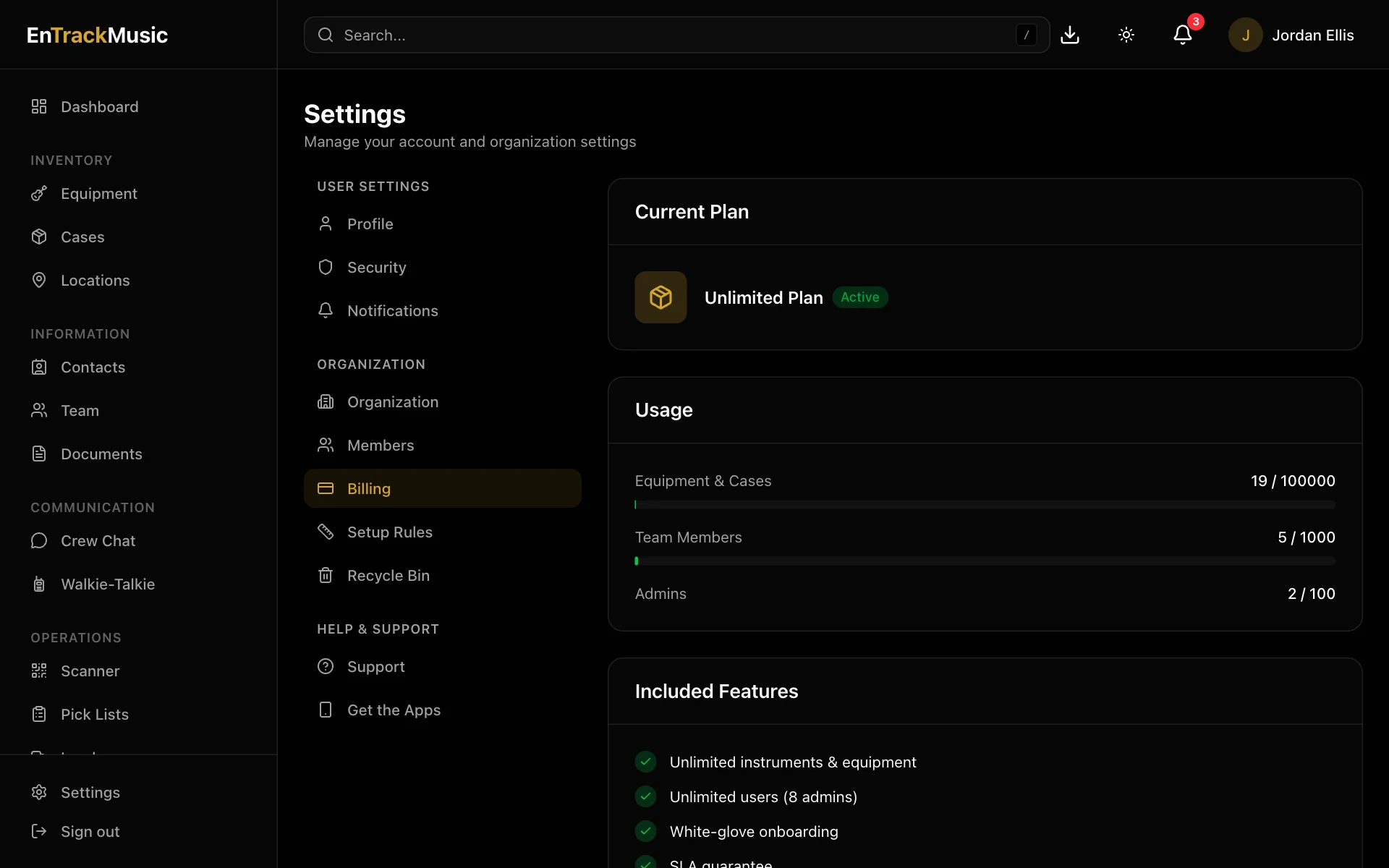
Go to Settings → Billing. You'll see your plan, its status, how you're billed, and how much of your equipment, team and admin limits you're using.
Upgrade or change your plan
- On the web: choose View All Plans to pick a plan, or Manage to change your plan, payment method or invoices.
- In the iPhone app: subscribe from Settings → Billing, through the App Store. Manage it in your iPhone's Settings → your name → Subscriptions.
- In the Android app: subscribe through Google Play. Manage it in the Play Store → Payments & subscriptions.
Change or cancel a subscription in the same place you bought it: on the web for web subscriptions, or in the App Store or Google Play for app subscriptions. Prices in the apps include the app stores' fees.
If a payment fails
Billing shows Payment Failed. Choose Update Payment Method to fix it before your plan lapses.
Still stuck? Contact us and we'll help.